Instances
What is an instance? Learn how to create and manage instances in Monkeys Finance.
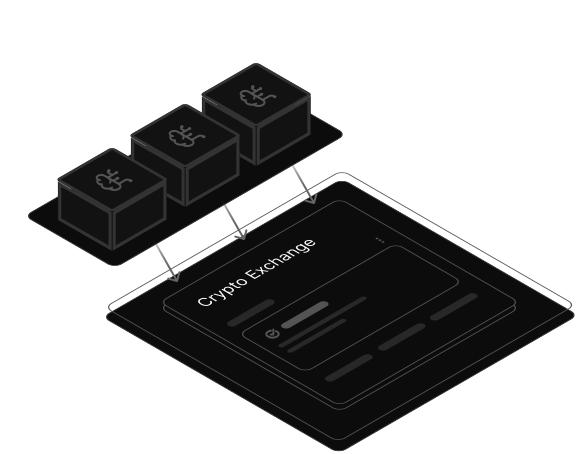
What is an Instance?
An instance is an automated trading bot configuration that represents your personal trading preferences (e.g., algorithm, trading pair, crypto exchange, position size). Once created, instances are stored in the cloud and run 24/7. When our signal detection pipeline identifies a trading opportunity that matches your instance settings (algorithm + instrument), it automatically executes a trade on your connected exchange using your encrypted API credentials.
Creating an Instance
To create a new instance, follow these steps...
Open the Instances page in the Monkeys Finance dashboard > Click "Add Instance" > Fill in the instance details (all fields are required)
Managing Instances
Once created, you can manage your instances through the dashboard.
Updating
To update instance settings simply click on it and you will see edit menu where you will be able to change any of instance fields.
Pausing
To pause an instance simply click on 3 dots in actions cell it will open menu where you will see "Pause/Activate" option, click on it and your instance will be paused. Paused instance will stop executing trades until you activate it again. To activate paused instance simply repeat same steps.
Deleting
To delete an instance simply click on 3 dots in actions cell it will open menu where you will see "Delete" option. This action is irreversible.
Important: We highly recommend not to pause or delete instances too frequently as it may affect your trading performance. One or two skipped trades may lead to significant changes in overall results.
How It Works ?
Below is a detailed explanations of how the instances works
Step 1. After you create an instance it gets stored in our cloud infrastructure and starts running in the background 24/7.
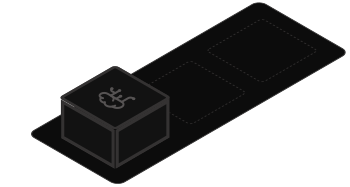
- Above you can see a visual representation of your instance stored in the cloud infrastructure.
- Our separate signal detection pipeline runs every 4 hours, analyzing market data using our algorithms to generate trading signals. When a signal matches your instance's algorithm and instrument, the system automatically queues your instance for trade execution.
Step 2. When a signal is detected, the Position Opener matches it with eligible instances

- The Position Opener queries the database to find all active instances that match the signal's algorithm and instrument. It verifies that users have active subscriptions and valid billing status.
- For each eligible instance, the system queues a message to the Instance Worker, which will handle the actual trade execution. All processing happens securely in the cloud — no data is processed locally.
Step 3. Instance Worker executes the trade on your exchange
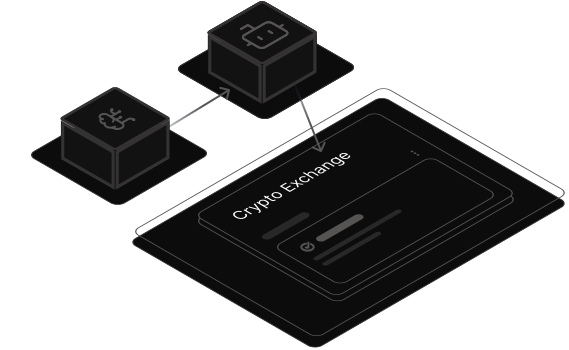
- The Worker decrypts your API credentials, calculates the trade quantity based on your position size and current market price, and places a market order (BUY or SELL) on your connected exchange.
- After execution, the system records the trade details (entry/exit price, quantity, P&L, commission) to the database. You can view all executed trades in the "History" section of your dashboard.
- Your position size automatically compounds: winning trades increase it by the realized profit, while the minimum of $20 is enforced to ensure trades meet exchange requirements.
Position Size Compounding
Your position size automatically adjusts based on trading performance, allowing profitable strategies to grow your trading capital over time.
How Compounding Works
- Initial Position Size: You set this when creating the instance (e.g., $100).
- After Profitable Trade: Position size = Previous size + Realized P&L
Example: $100 + $15 profit = $115 for next trade - After Losing Trade: Position size = MAX($20, Previous size + Realized P&L)
Example: $100 - $25 loss = $75 for next trade - Minimum Enforced: Position size will never go below $20, even after losses. This ensures trades meet exchange minimum requirements.
Note: Trading commissions are tracked for your records but are not deducted from the position size calculation, as they are typically negligible amounts.
Why USDC?
All trading pairs on Monkeys Finance use USDC (USD Coin) as the quote currency instead of USDT. This ensures compliance with the European Union's MiCA (Markets in Crypto-Assets) regulations, which came into effect in 2024.
USDC is a regulated, transparent stablecoin that meets the strict requirements for stablecoin issuers under MiCA, providing additional security and legal compliance for our European users.
Subscription Requirements
Instances require an active subscription to execute trades. Your subscription status is checked before every trade execution.
Important: After your trial expires or if your subscription becomes inactive, your instances will stop executing trades automatically. You will need to renew your subscription to resume trading.
Testnet Mode
Testnet mode allows you to test your trading strategies with demo funds before risking real money. This is highly recommended for new users or when testing new algorithms.
Critical: Make sure to use API credentials from your exchange's testnet or demo account, NOT your real trading account. When creating API keys on the testnet exchange, you should create an HMAC key type only for security purposes.
When creating an instance, simply enable the "Testnet Mode" toggle and select testnet credentials. All trades will execute on the exchange's testnet environment with no real funds at risk.
⚠️ Disclaimer: Trading cryptocurrencies involves significant risk of loss. Past performance does not guarantee future results. Always do your own research before making investment decisions.