Notifications
Learn more about creating and managing notifications in Monkeys Finance.
About Notifications
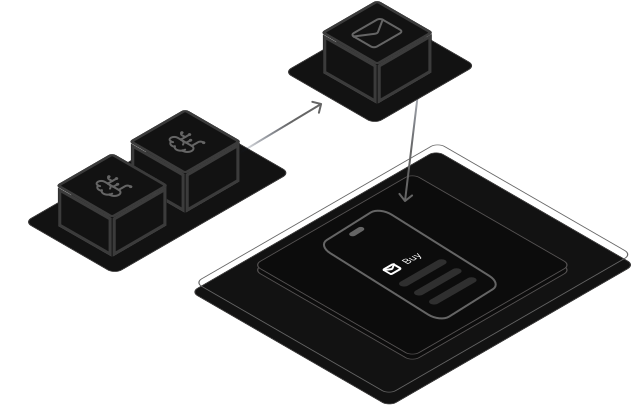
Notifications in Monkeys Finance keep you informed about trading signals in real-time. You can configure which signals you want to receive based on your active instances (algorithm + instrument combinations) and choose your preferred notification provider (currently Telegram, with more coming soon).
Notification Preferences
After connecting a notification provider (like Telegram), you need to configure which signals you want to receive. Notification preferences are set per instrument and strategy combination.
How Preferences Work
- Each preference is for a specific instrument + strategy pair (e.g., BTC/USDC with trend strategy).
- You can have multiple preferences for different combinations
- You'll only receive notifications for signals that match your configured preferences.
What You'll Receive
When a trading signal is generated, you'll receive a notification containing:
- Signal Type: BUY or SELL
- Instrument: The trading pair (e.g., BTC/USDC)
- Strategy: The algorithm that generated the signal
Notifications are sent in real-time as soon as signals are detected by our pipeline, which runs every 4 hours.
ML Filter Alerts
Monkeys Finance uses Machine Learning models to filter out potentially low-quality signals before executing trades. When a signal is detected but filtered out by the ML model, you'll receive a special "ML Filter Alert" notification.
Why ML Filter Alerts Matter
- Helps you understand why a position wasn't opened, even though a signal was detected.
- Provides transparency into the ML filtering process.
- Shows that the system is actively working to protect you from potentially unprofitable trades.
- You'll still be notified about the signal, but no trade will be executed.
Note: ML filtering is designed to improve overall trading performance by reducing false signals. Not all bad signals will be filtered—only those that the ML model determines have a lower probability of success.
Supported Providers
Monkeys Finance supports the following notification providers:
- Telegram: Receive instant trading signal notifications via Telegram, a secure and popular messaging platform.Note: You can only connect one Telegram account per Monkeys Finance user.
How to Set Up Telegram Notifications:
- 1. Open your Telegram app.
- 2. Search for @monkeys_finance_bot and start a chat.
- 3. Send the /start command to initiate the setup process.
- 4. You will receive a unique link to connect your Telegram to Monkeys Finance. After clicking the link, your account will be connected automatically.
- WhatsApp: Support for WhatsApp notifications is coming soon.
⚠️ Disclaimer: Trading cryptocurrencies involves significant risk of loss. Past performance does not guarantee future results. Always do your own research before making investment decisions.